How to Use LinkedIn for a Job Search: A Recruiter's Straight Talk

If you're job hunting, LinkedIn isn't just a social network. It's a full-time marketing campaign, and you are the product.
It’s all about showing, not just telling. You need a profile that grabs attention and engagement that proves you know your stuff. This is how you win.
Your LinkedIn Profile Is Your Digital Resume
Honestly, your LinkedIn profile is probably just a dusty copy of your resume's work history. It’s a digital archive, and it’s doing nothing for you.
It needs to be your 24/7 marketing agent, not a passive record of old jobs.
Recruiters spend seconds on a profile. That’s not an exaggeration; it’s the reality. A generic profile is a limp handshake. Instantly forgettable.
Write a Headline That Actually Works
Your headline is the most valuable real estate on your profile. "Marketing Manager at ABC Corp" is a massive wasted opportunity. It tells people your title, not your value.
Pack it with keywords and results. Recruiters search for specific skills. A generic title makes you invisible.
Let's look at some quick fixes:
Instead of: "Software Engineer", Try: "Senior Software Engineer | Python, AWS, & API Development | Building Scalable FinTech Solutions"
Instead of: "Accountant", Try: "CPA | Financial Reporting & Analysis | Helping SaaS Companies Streamline Audits & Compliance"
That small tweak signals your skills and the problems you solve. It's a mini-pitch right under your name.
Write an About Section That Tells a Story
The "About" section is your chance to connect on a human level. Don't just paste bullet points from your resume here.
Answer the "why" behind your career. Talk about what gets you excited to go to work. Tell a story.
A good structure is scannable but compelling. Hook them with a strong opening. Break down your expertise into bullet points. Finish with what you’re looking for next.
Want to level up? You need to build a personal brand on LinkedIn that opens doors and tell a consistent story.
Your profile isn’t just a list of jobs. It’s a story about your professional journey. Make it a story people actually want to read.
The Experience Section Is About Results, Not Duties
Please, stop listing job duties. Nobody hires you for being "responsible for" tasks. They hire you for what you achieved.
Every bullet point needs to answer one question: "So what?"
Quantify where you can (and when it makes sense). Use numbers, percentages, and dollar signs to connect your work to real results. This transforms your experience from a passive list into a portfolio of accomplishments.
Weak: "Managed social media accounts."
Strong: "Grew organic social media engagement by 45% in six months by implementing a new content strategy across three platforms."
This is how you provide proof. On a platform with over 1 billion members, you have to stand out. Measurable results are how you do it.
Your LinkedIn and resume must be in perfect sync. They should support each other. To ensure you're sending a powerful, consistent message, consider a resume and LinkedIn profile package.
Finding Jobs Without Wasting Time
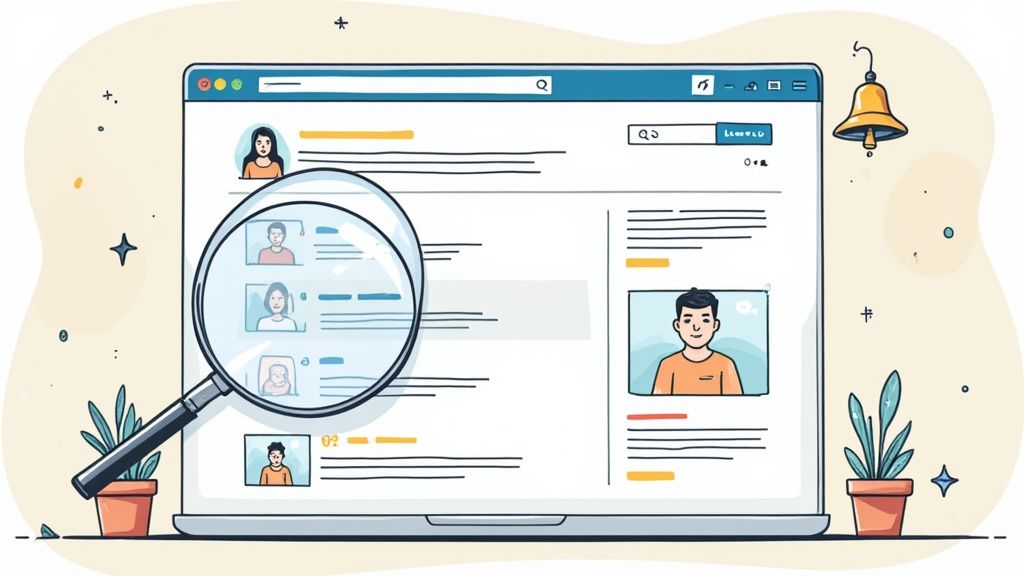
Let’s be real: endlessly scrolling the LinkedIn job board is a fast track to burnout. It feels like a digital black hole for your time and energy.
The platform isn't the problem. It's how you use it. Stop scrolling and start searching with an actual strategy.
Think like a recruiter. They don't browse aimlessly. They use specific keywords and filters to find exactly who they need. You have to adopt that same mindset.
The sheer volume of activity is staggering. With 10,000 job applications submitted every minute, you're in a crowded space. Your only advantage is being smarter than everyone else. Check out LinkedIn's massive user activity on The Social Shepherd for more on this.
Master the Advanced Job Filters
That basic search bar is just the start. The real power is hidden in the filters. Using them right is the difference between finding a dream job and sifting through junk.
Most people stop at job title and location. Big mistake. You need to dig into "All filters" to find the real gems.
Here are the most powerful filters:
Under 10 Applicants: This one is gold. Applying here dramatically increases the odds a real human sees your resume.
In Your Network: Shows you jobs at companies where you know someone. A referral is the most powerful tool you have. Period.
Date Posted: Set this to "Past 24 hours" or "Past week." Apply early, before the hiring manager is buried in applications.
Using these turns a chaotic feed into a curated list of high-potential jobs. This is how you stop wasting time.
Set Up Intelligent Job Alerts
Once you've built a smart search, save it and turn on alerts. Let LinkedIn do the heavy lifting. It will notify you the moment a matching job is posted.
Don't just set one lazy alert for "Project Manager." That’s a recipe for an inbox full of garbage.
Create multiple, specific alerts. For example:
"Senior Marketing Manager," remote-only, posted in the last week.
"Director of Content Strategy" at companies with 50-200 employees.
"Brand Strategist" jobs at companies where you have a connection.
This way, high-quality leads come to you. Your job search should work for you, not the other way around.
The goal isn't to apply for 100 jobs. It's to make 10 high-impact applications that actually get noticed.
Here's a quick look at a few other filters that are critical for a targeted search.
Filter Type | What It Does | Why You Should Use It |
|---|---|---|
Company | Allows you to target or exclude specific companies. | Perfect for a “dream company” list or avoiding competitors with non-compete agreements. |
Experience Level | Narrows roles to match your career stage (e.g., Entry Level, Director). | Stops you from wasting time on jobs that are too senior or junior. Gets you in the right pile. |
On-site/Remote | Filters for your preferred work arrangement: on-site, remote, or hybrid. | Ensures you only see jobs that fit your lifestyle. No more falling for a great job that's 100% in-office across the country. |
Combine these filters to build the perfect search query before you hit "save alert."
The Truth About the "Easy Apply" Button
The "Easy Apply" button is tempting. It feels productive to fire off dozens of applications with one click. But let's be blunt: it's often the least effective way to get a job you actually want.
When you use Easy Apply, you’re competing with thousands of others who also took the easy route.
Your application gets dumped into a system with a generic profile, often without a tailored resume.
So, when should you use it? It's fine for long-shot roles. But for any job you're truly excited about, always apply on the company's website. It shows you're willing to put in a little extra effort.
Customizing your resume is non-negotiable for top roles. To see how your skills translate, check our guides on crafting resumes for specific industries and speak the hiring manager's language.
Networking Like a Human, Not a Spambot

Let's be blunt. The word "networking" probably makes you cringe. It sounds fake and transactional. But on LinkedIn, it's the most important thing you can do.
Stop thinking of it as collecting contacts. Start thinking of it as building real professional relationships.
This isn't about sending a hundred generic requests. It’s about thoughtful outreach that gets you noticed for the right reasons.
Writing Connection Requests That Get Accepted
That blank, default connection request? It’s the digital equivalent of a limp handshake. It screams low effort.
Recruiters get dozens of these a day. They ignore almost all of them. You have to do better.
Your only job is to give them a reason to click "Accept." A personalized message is non-negotiable.
Here’s how to craft a message that works:
Mention a shared connection: "Hi Sarah, I see we're both connected to John Smith. I'm also in the SaaS space and would love to connect."
Reference their content: "Hi David, I really enjoyed your post on AI in marketing. Your point about data privacy was spot-on. I'd like to follow your work."
Note a common group: "Hi Maria, I noticed we're both members of the 'Digital Nomads' group. I'd appreciate connecting with you."
These are short, respectful, and give context. That's it.
The best connection requests are never about asking for a job. They are about starting a professional conversation.
How to Ask for an Informational Interview
Once connected, an informational interview is a powerful next step. It's a low-pressure way to learn about a company or role without directly asking for a job.
But your approach has to be flawless.
Make it about their expertise, not your needs. Frame it as a genuine desire to learn. Be specific, and always respect their time.
Here's an example message to a new connection:
"Hi Alex, thanks for connecting. I'm impressed with the work your team at Acme Inc. is doing. If you have 15 minutes in the coming weeks, I’d love to hear about your career path and any advice you have."
It's short, complimentary, and defines a brief time commitment. This makes it easy for them to say yes. For more tips on outreach, our career advice blog has you covered.
Engage with Content to Build Your Visibility
Your LinkedIn feed is more than just a place to scroll. It's a stage. Engaging with content—liking, commenting, and sharing—keeps you on the radar of your network.
Every thoughtful comment is a mini-advertisement for your expertise.
But "thoughtful" is the keyword. "Great post!" is forgettable. A comment that adds value, asks a question, or shares an insight gets you noticed.
Don't just like a post. Leave a comment that adds to the conversation.
Share relevant articles. Add your own two-sentence take on why it's important.
Congratulate connections on new roles. It's a simple touch that keeps you top of mind.
This consistent, low-effort activity builds your reputation over time as an engaged professional.
Using Content to Showcase Your Expertise
A polished profile gets you in the game, but it's not enough to win. To really stand out, you have to show recruiters what you know.
Creating and sharing content is how you go from being a passive applicant to an in-demand candidate.
Don't panic—you don't need to be a professional writer. This is about showing passion and knowledge in your field. It proves you can actually do what your resume claims.
This proactive approach gets you noticed. It positions you as an expert, so recruiters start finding you.
Simple Content Ideas That Actually Work
You can start small. Consistency is the goal, not creating a viral masterpiece. The key is sharing content that reinforces your professional brand.
Here are a few simple ideas to start:
Share an article with your own take. Add two sentences with your commentary. For example, "This article on AI in logistics is spot-on. We saw a 15% efficiency boost by implementing a similar idea."
Write a short post about a project. Briefly outline a problem, the action you took, and the result. This is a mini-case study that proves your skills.
Ask a thoughtful question. Pose a question to your network about an industry trend. This sparks conversation and shows you're engaged.
These simple acts build your credibility over time.
A great LinkedIn profile gets you seen. Great content gets you remembered. It's the proof behind your professional story.
Finding Your Niche and Voice
Your most effective content must align with your career goals. If you're a cybersecurity pro, sharing your baking hobby won't help your job search.
Your content needs to be targeted and relevant to the roles you want.
Understanding industry trends is a huge advantage. Focusing your content on growth areas makes you more visible to recruiters who are actively hiring.
Ultimately, your content should sound like you. Are you analytical and data-driven? Let that show. Authenticity connects with people.
The goal is to build a content library that makes a hiring manager think, "This is the person we need." This is easier with a clear professional story, which a resume editing service can help define. To truly level up, mastering LinkedIn content strategy can boost your authority.
Engaging Directly with Recruiters
Sitting back and waiting for recruiters to find your profile is a passive strategy that rarely works. You have to take the reins.
This means reaching out directly. But there’s a fine art to it. There's a balance between professional outreach and just being a pest.
This isn’t about spamming every recruiter you find. It's about a smart playbook for finding the right people and writing a message that actually gets a response.
Finding the Right Person to Contact
Before you write a message, find the right inbox. A note to a random HR person at a massive company is a waste of time.
Find the specific recruiter for the role, or even better, the hiring manager for that team.
Use LinkedIn's search. Combine the job title with the company name and add "recruiter" or "talent acquisition."
For instance, your search might look like:
"Technical Recruiter at [Target Company]"
"Talent Acquisition Partner, Engineering at [Target Company]"
"Hiring Manager, Marketing at [Target Company]"
This narrows the field to people who actually matter for your search. Your success rate skyrockets when your message lands in the right place.
Crafting a Message That Gets a Response
Once you’ve found your contact, the message needs to be sharp and to the point. They don’t have time to read your life story.
The worst messages start with "I saw your profile and..." or "I am looking for a job."
Flip the script. Make it about their needs and the specific role they're trying to fill. A great message is short and connects your experience to what they need.
This direct communication is far more effective than just being passive.
The data doesn’t lie. Original, direct communication gets far more engagement.
Key Takeaway: Your initial message should be no more than four sentences. State the role, mention one key qualification, and ask a simple, direct question.
This approach respects their time and makes it easy for them to give a quick "yes" or "no." A solid outreach note, backed by a strong resume and cover letter, makes all the difference. To ensure all your materials tell the same powerful story, a professional service can align your resume, cover letter, and LinkedIn profile.
Here’s a quick guide to what works and what absolutely doesn’t.
Outreach Message Do's and Don'ts
Guideline | Do This (Example) | Don't Do This (Example) |
|---|---|---|
Be Specific | "Hi Sarah, I saw the Sr. Product Manager opening. My experience launching B2B SaaS products at my last company seems like a great fit." | "Hi, I saw you're a recruiter at [Company]. I'm looking for a new job and would love to connect." |
Keep It Concise | "Hi Mark, Following up on the Data Analyst role. My background in SQL and Tableau aligns with the job description. Are you the right person to speak with?" | "Hi Mark, my name is John and I have over 10 years of experience in data. I started my career at... [long paragraph]... Attached is my resume." |
Focus on Them | "Hi Jane, I've been following [Company]'s work in renewable energy. The Marketing Director role looks like a great opportunity to apply my demand generation skills." | "Hi Jane, I really need a job right now and your company seems like a good place to work. I have a lot of skills that would be valuable." |
End with a Clear Ask | "Is this a role you're currently working on?" or "Would you be open to a brief chat next week?" | "Let me know what you think." or "Hope to hear from you soon." |
A well-crafted message shows you’re a professional who has done their homework.
The Art of the Follow-Up
Here's a dose of reality: your first message might get buried. Recruiters are juggling dozens of roles. A polite follow-up often separates interviewees from the forgotten.
But persistence is not the same as pestering. If you haven't heard back in a week, send a brief follow-up.
Don't just resend the same message. Add a small piece of new info or reiterate your interest.
A good follow-up can be this simple:
"Hi [Recruiter's Name], just following up on my message from last week regarding the Senior Product Manager role. Still very interested and confident my B2B SaaS launch experience would be a strong asset."
This is professional and non-demanding. It bumps you to the top of their inbox. If you still don't hear back, move on. Harassing a recruiter will get you remembered for all the wrong reasons.
Common LinkedIn Job Search Questions
Navigating LinkedIn can feel like getting advice from a million different directions. It's easy to feel unsure about what actually works.
Let's cut through the noise with some direct answers.
Is LinkedIn Premium Really Worth It?
The honest answer is: it depends. If you just upgrade and keep doing the same old things, it’s a complete waste of money. Plain and simple.
But Premium can be a powerful tool if you actually use its features.
Here’s where it gives you an edge:
InMail Credits: These let you message people you aren't connected to, like a hiring manager. A well-crafted InMail gets you noticed. A generic one gets ignored.
Who's Viewed Your Profile: This is your secret weapon. It gives you a list of warm leads. If a recruiter from a company you love looks at your profile, that's your cue to reach out.
Applicant Insights: This feature gives you a reality check. It shows how you stack up against other applicants, helping you focus your energy where it matters most.
The blunt truth: Premium is only worth it if you use its features aggressively. Don't pay just to feel like you're "doing something." Use the tools, or save your money.
How Often Should I Post to Get Noticed?
Consistency beats frequency. You don’t need to post every day. In fact, posting low-effort content just to hit a quota can actually hurt your professional brand.
A good starting point is 2-3 times per week.
This keeps you visible without spamming your network's feed. The real key is making sure whatever you share is valuable. One thoughtful comment is better than five "Happy Monday!" posts.
Can Recruiters See My Activity?
Yes, but you have some control. When you turn on the "Open to Work" feature, you can make it visible to everyone (the green banner) or just to recruiters using LinkedIn Recruiter.
The "recruiters only" option is designed to be discreet if you're looking while employed.
But a word of caution: nothing is 100% foolproof. A recruiter at your own company could potentially see this signal. Beyond that, all public activity—likes, comments, shares—is visible.
What Is the Biggest Mistake People Make?
The single biggest mistake is the passive, "set it and forget it" mindset. Too many people update their profile once and then expect the perfect job to fall into their lap.
That’s not how it works.
Your LinkedIn profile isn't a static document. The most successful job seekers are constantly engaging, building their network, and sharing insights. They treat it like an ongoing professional conversation.
Another huge error? A headline that just lists your job title. "Marketing Manager" tells me nothing. "Marketing Manager | B2B SaaS Growth & Demand Generation" makes you findable. A weak headline makes you invisible.
Crafting a standout LinkedIn profile and a resume that gets past automated systems takes serious work. Final Draft Resumes specializes in creating powerful, ATS-optimized documents that tell your professional story and get you noticed. Explore our resume and LinkedIn packages to land more interviews.
Author

Alex Khamis is a Certified Professional Resume Writer and Managing Partner at Final Draft Resumes and Resumatic.
He has over 15 years of experience across career services and business communications. He's helped people land roles at companies like The Walt Disney Corporation and Microsoft.

Comments